

Edward E · US
Today Verified review
Well made indicator
Well made indicator, very informative on the signals it gives. There's no magic formula or the options market but this strategy really gives you an edge!
Get crystal-clear buy & sell signals powered by 30+ advanced market algorithms. No guesswork. No complexity. Just smarter, data-driven trading decisions.
Not for you? Full refund, no time limit, no questions asked.
OptiTrade provides data & signals for informational purposes only. Not financial advice. Past performance does not guarantee future results.
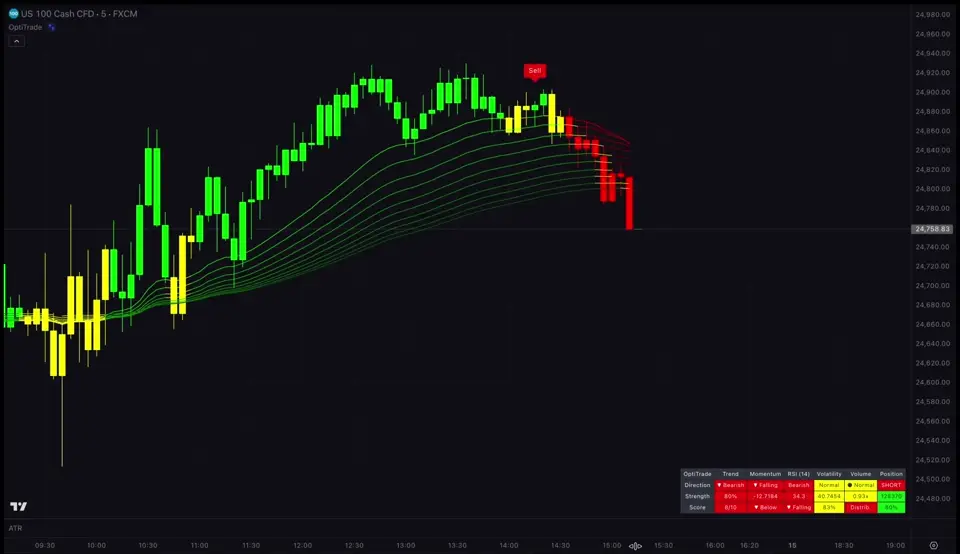
OptiTrade's AI analyzes 30+ fundamental and technical indicators in real-time—tracking volume, momentum, and price action to map trend development with surgical precision. The algorithm is designed to identify early signs of trend reversals.
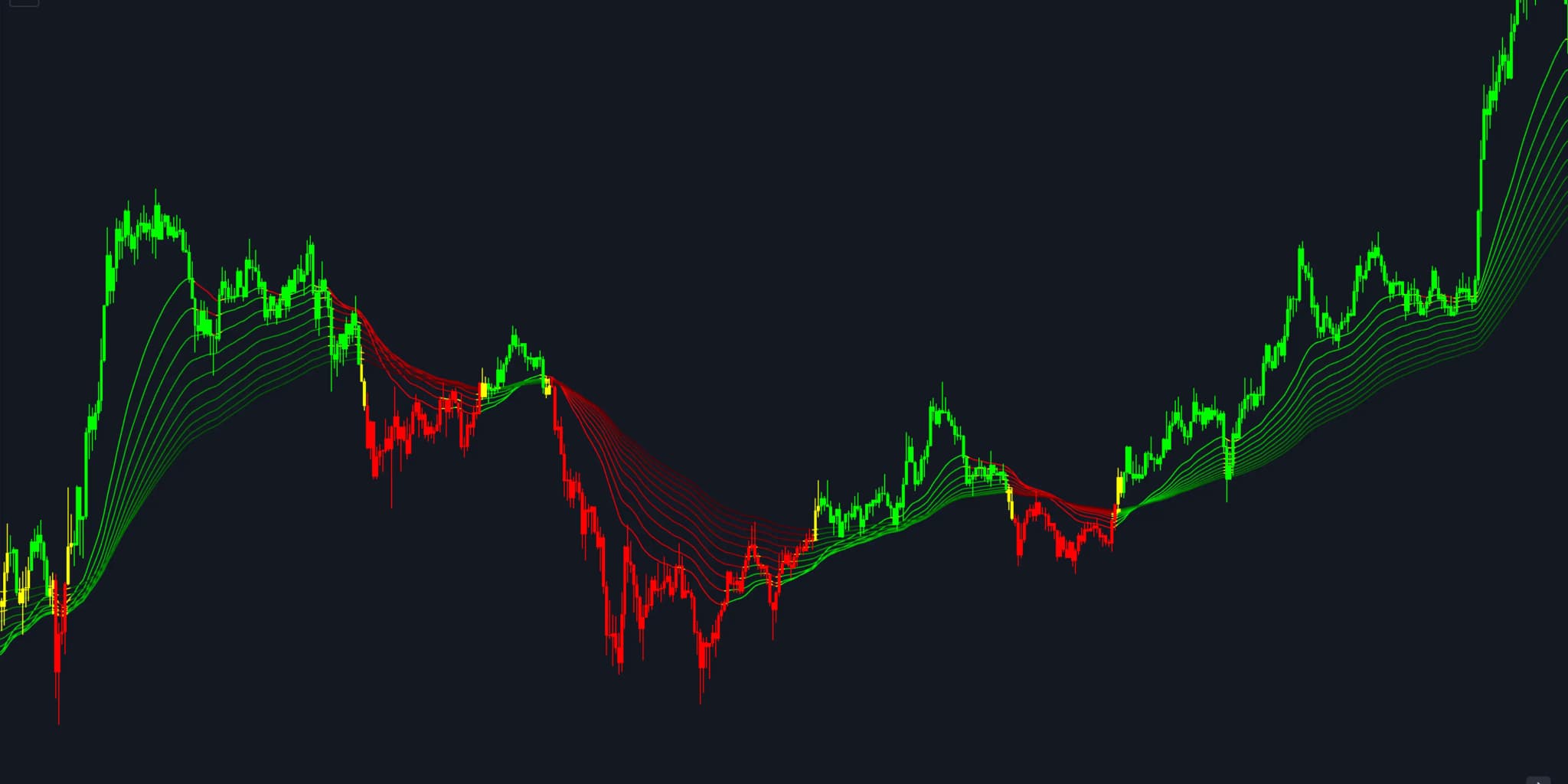
Pick one of five markets and a timeframe, then switch between the four strategies and watch the entry and exit signals each one gives as the candles form. Hit Compare to see the same chart without OptiTrade.

 Gold Spot / U.S. Dollar · 1h · OANDAGold · 1h · OANDAOHLC
Join thousands of traders who've enhanced their analysis with data-driven precision.
Every strategy comes with instant backtesting. See exactly how it performs—no guesswork, no hidden metrics. Just the raw numbers.
The simplest approach: stay in the market continuously. Every sell flips to a buy, and vice versa. Zero downtime helps you position yourself for major moves.
Precision entries with intelligent exit timing. The algorithm calculates optimal take-profit levels for each trade, aiming to close positions at favorable moments.
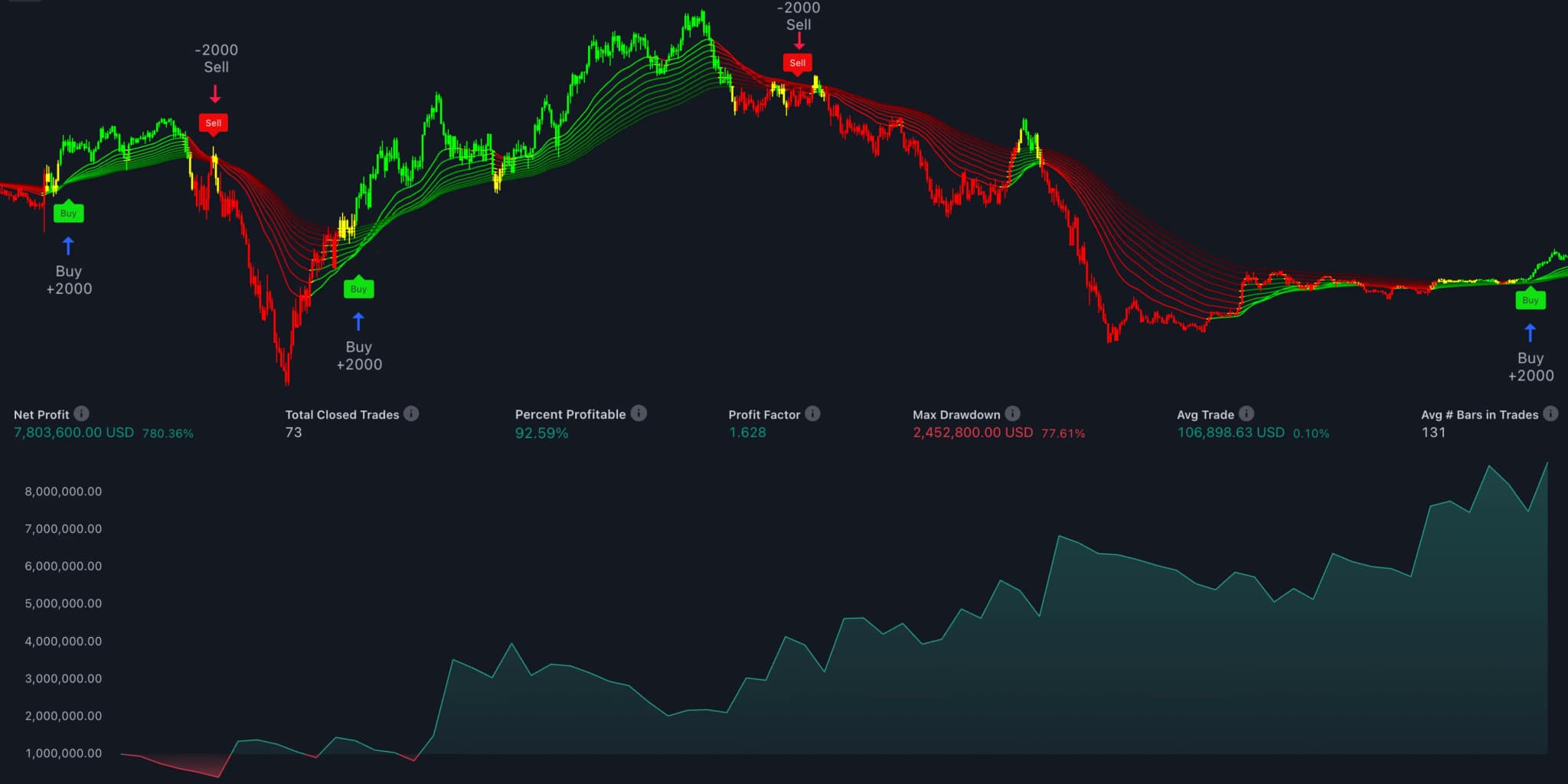
* All results are from verified backtests using historical data. Past performance does not guarantee future results.
Real backtesting results across multiple markets. No cherry-picking. No manipulation. Just consistent, verifiable data.*
The results below represent a selection from our comprehensive study across all markets and timeframes.
* All results are from verified backtests using historical data. Past performance does not guarantee future results.
OptiTrade adapts to your style. Execute trades yourself with real-time alerts—or let the AI handle everything automatically.
OptiTrade AI – New Signal!
nowOptiTrade AI – New Signal!
nowOptiTrade AI – New Signal!
nowGet instant push notifications when signals fire. Review, decide, and execute—all in seconds.
You decide which signals to trade. Filter by your own criteria.
Get push notifications the moment a signal fires. Never miss a key trading opportunity.
No paid TradingView plan needed. Your free account is enough.
Execute on any broker, any platform. Complete flexibility.
Two problems destroy most trading accounts: choppy signals and late entries. OptiTrade solves both with proprietary algorithms built from years of market research.
Smart filters eliminate choppy markets
Most indicators fail in sideways markets—spitting out false signals that clutter your charts. OptiTrade's AI filters detect consolidation zones and stay silent until trend momentum returns. Trade only when conditions show strong alignment.
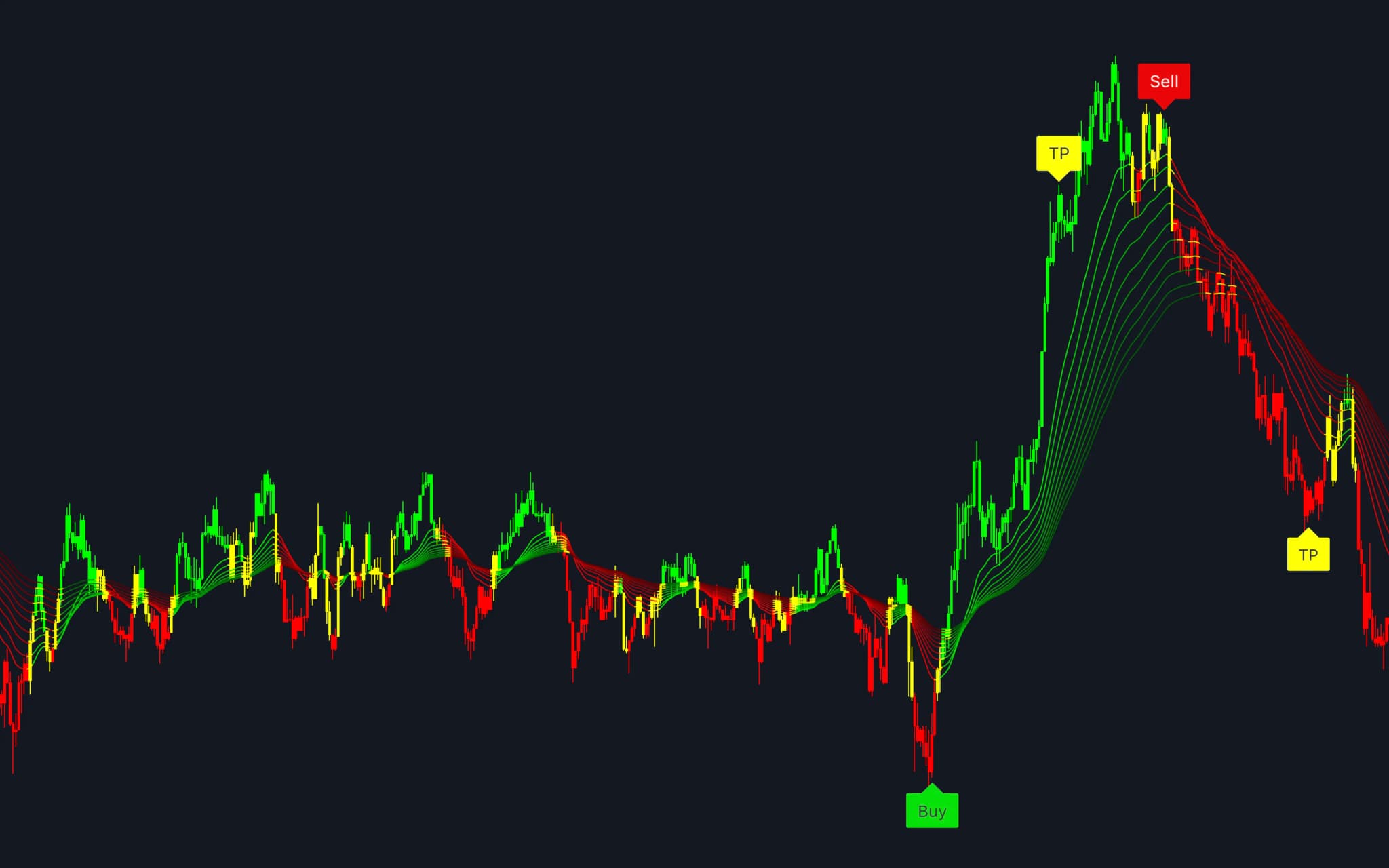
Volume + price action = predictive power
Late signals mean missed opportunities. OptiTrade combines volume analysis with price action to detect momentum shifts before they become visible. Get notified at the right moment—not after the move is over.
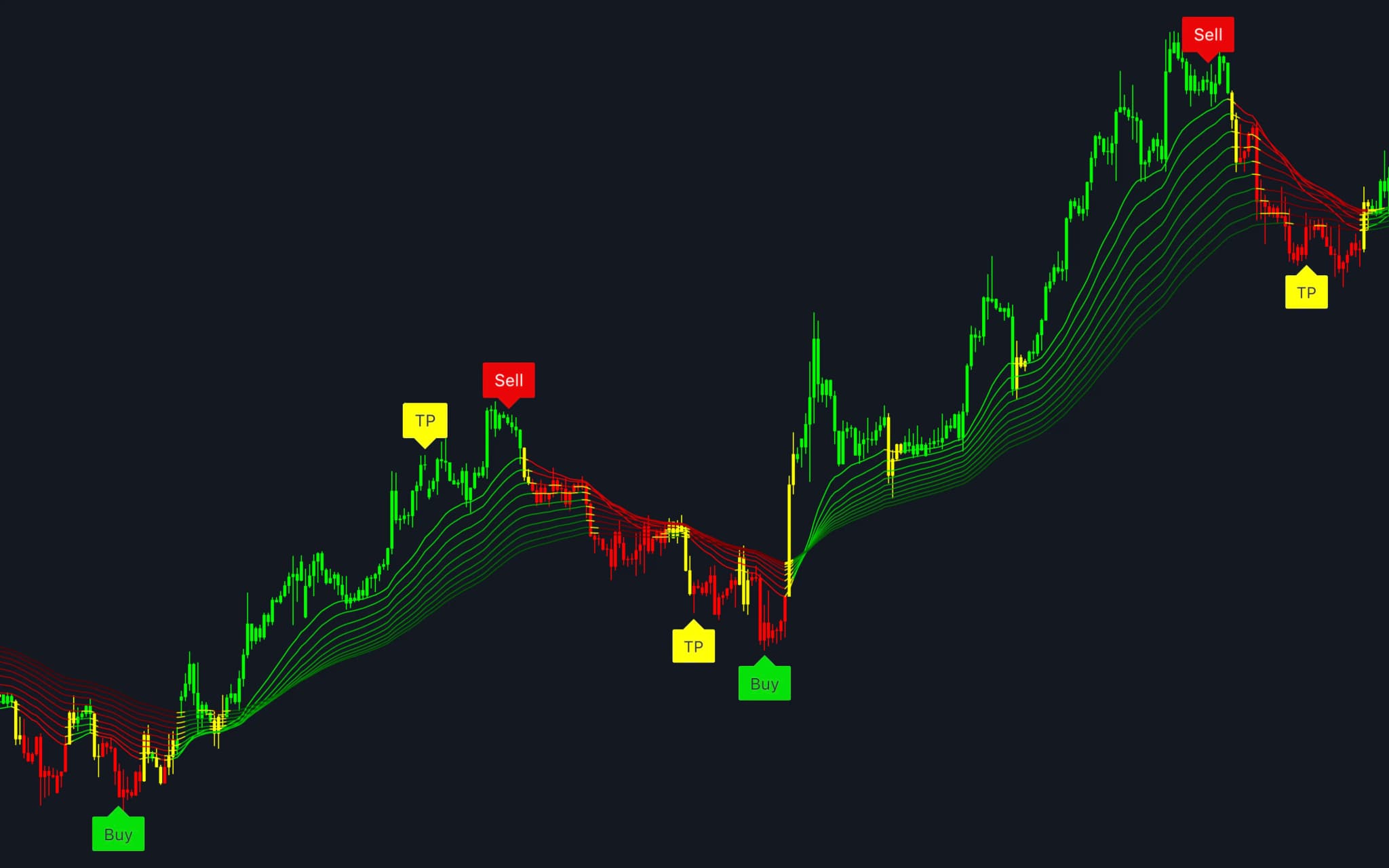
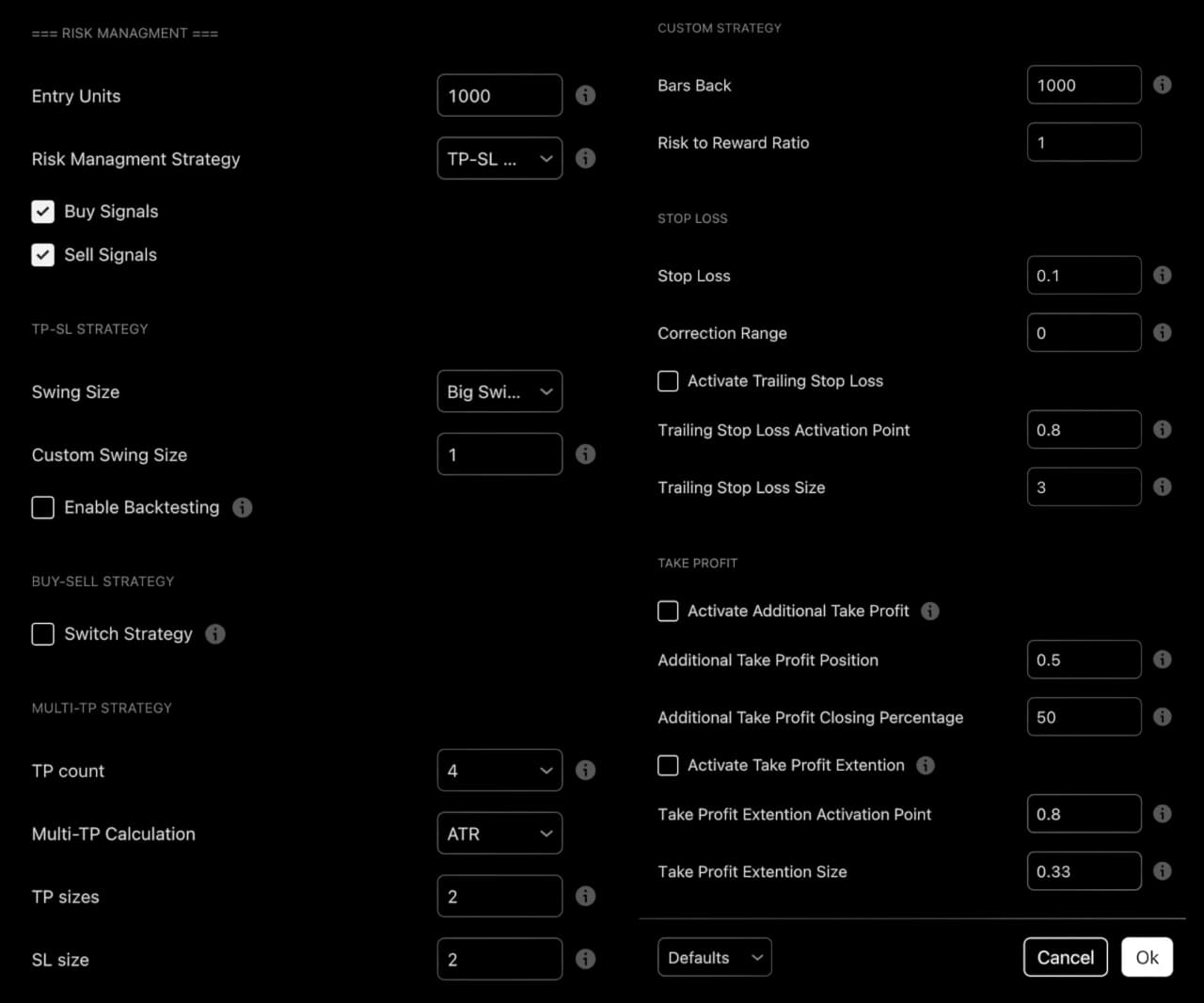
From day one to funded trader. OptiTrade's advanced risk controls adapt to your strategy—whether you're learning the basics or preparing for funded trader evaluations.
Set fixed or dynamic SL based on ATR, swing highs, or order blocks
Adjust stops as price moves in your favor with smart trailing stop logic
Define your R:R targets—the algorithm calculates optimal TP levels
Risk exactly what you want per trade—percentage or fixed units
Built-in drawdown limits for funded trader evaluations
Scale out of positions at multiple targets for optimized trade management
OptiTrade isn't just another indicator—its AI took 3 years to build. It reads 30+ market dimensions, matches your chart to the past moments that looked most like it and tunes its own settings. The result lands on your chart as a buy or sell signal. No setup to build, no trading know-how needed. You just follow the signals.
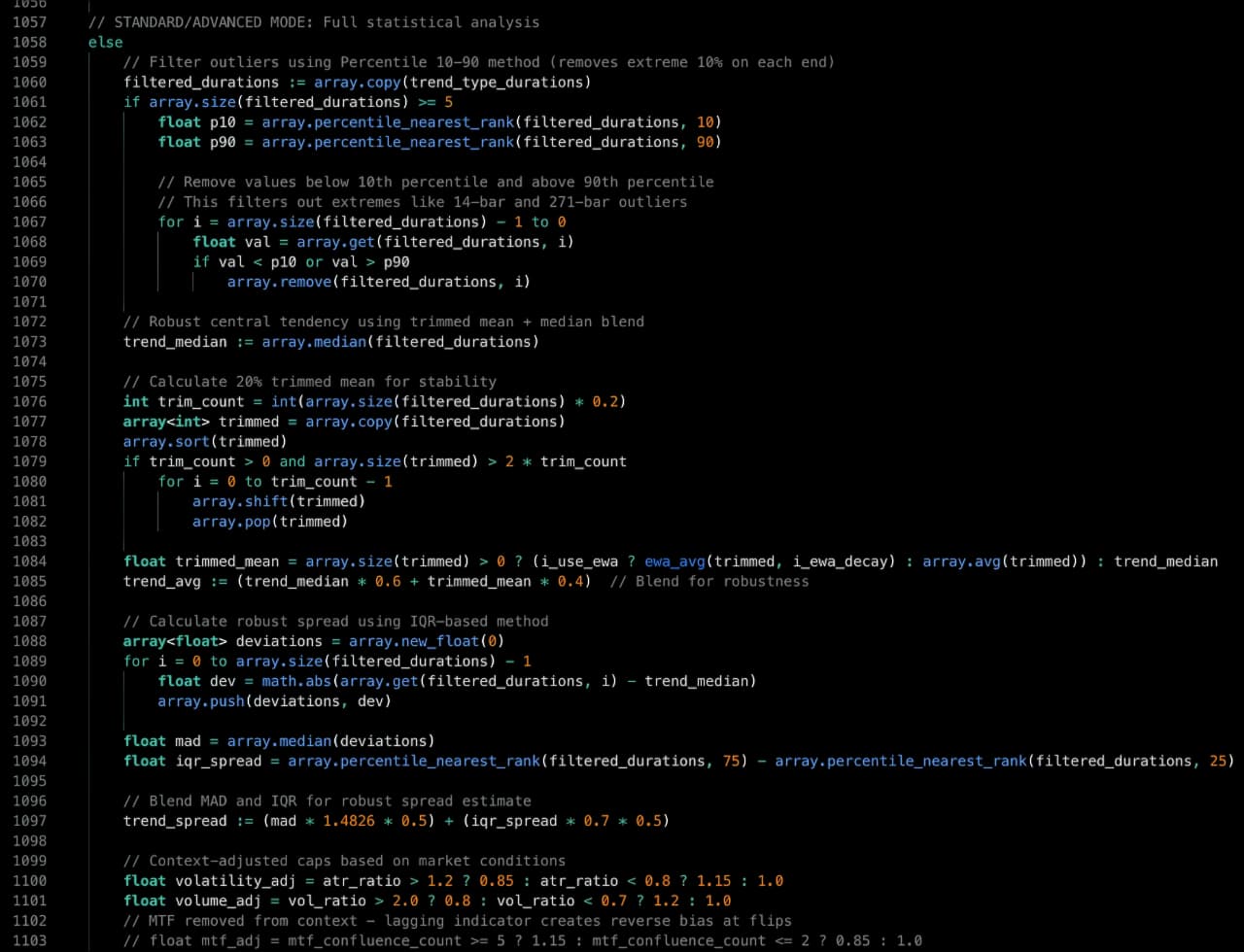
“We didn’t build another indicator. We built what we wished existed when we were learning to trade—something that actually works, is easy to use, and doesn’t cost a fortune.”
Instant access · Lifetime money-back guarantee
Every question answered. Every concern addressed. Tap any card to learn more.
16 promises. All delivered.
Real reviews from real traders. Every review is independently verified by Trustpilot.

4.7/5
ExcellentAll 1,474 reviews
All 1,474 reviews
Edward E · US
TodayVerified reviewWell made indicator, very informative on the signals it gives. There's no magic formula or the options market but this strategy really gives you an edge!
Arman Kilicarslan · TR
5 days agoVerified reviewI love the fact this takes the emotional response out of the trade for me, I'm still dialing this in, but it has made my trading all around better- Thanks Opti
Grayson Dyer · US
13 days agoVerified review🌟🌟🌟This indicator is an exceptional tool for traders who aim to ride sustained market movements rather than predict short-term reversals. Its strength lies in its simplicity and...

Nima Nosrati · IR
Sep 27, 2026Verified reviewThis indicator's accuracy allowed me to make precise measurements every time, even in challenging environments. Along with this Its easy-to-read display and straightforward setup m...

onur dağdelen · TR
Sep 16, 2026Verified reviewI have used the indicator for a week now and I'm seeing promising signals. The tool is solid and I'm looking forward to refining my strategy further.

Bishal Dahal · NP
Sep 7, 2026Verified reviewi have been using optitatrade for some days and it seems quite useful .. now on everytrade i take i have optitrade on my chart !!
Mayard · US
2 days agoVerified reviewGreat customer service and indicator. I received instant access after payment. The tutorial really helped dial everything in.

Odd-Bjørnar Fjellvang · NO
8 days agoVerified reviewUsing the OptiTrade indicator on the Hang Seng Index has helped me identify the overall market trend and improve my trade selection. By configuring suitable modes and parameters my...

Ian Irizarry · PR
Oct 2, 2026Verified reviewI largely use this indicator to get trend confirmation along with two other indicators. It has been helpful with confirmation; however, the back‑testing aspect of the tool leaves p...

Jorge Paco · PE
Sep 22, 2026Verified reviewEasy to use and simple to link with TradingView. Set the parameters and you're good to go. Good job guys thank you

Shawn Stanley · US
Sep 13, 2026Verified reviewGood indicators and great customer service. Very happy with my experience so far.

Hemi Apanui Raukawa · NZ
4 days agoVerified reviewVery easy to understand trend
Gabriel Sanchez · MX
11 days agoVerified reviewI love the "red" ribbon and the "green" ribbon. It's a great indicator of the direction of the market in any timeframe. It can be used alongside other favorite indicators, or maybe...

Dane · US
Sep 29, 2026Verified reviewI have purchage a indicator end it's a only's a couple off day's that i have this, so i must see how it works but i see a lot off potential. I can not wait to learn end earn. The t...
Dubbel & Dwars Kitchen & Bar · NL
Sep 19, 2026Verified reviewI've been using the Optitrade Expert Plugin for TradingView for several months now, and it has become one of the most valuable components of my trading workflow. The plugin is extr...
Stanley King · US
Sep 9, 2026Verified reviewThe best indicator I've used. The signals are clear and the data gave me the confidence I needed in my trading decisions!
Every screenshot below is shared by real OptiTrade users in our Discord community. Individual experiences vary. These are user-submitted results, not a guarantee of performance.
 Independently Verified by Discord
Disclaimer: The screenshots above represent individual user experiences. Trading results vary, and past performance is not indicative of future results.
Join 11,893+ traders already using OptiTrade AI for data-driven analysis
We believe only traders who see real value in our tools should pay. If OptiTrade doesn't meet your expectations, you get a full refund. No questions, no hassle, no time limit.
Most trading tools hide behind 30-day refund windows because their strategies lose relevance in the long run. Maintaining consistent performance over months and years is incredibly difficult—and most indicators simply can't do it.
OptiTrade was built to give you a serious data-driven toolkit to help navigate those market conditions. We're so confident in our software that we offer unlimited refund protection. Try it for a week, a month, or a year—if it doesn't meet your needs, you get your money back.
Most companies offer 30-day refunds. We offer a lifetime refund guarantee because we stand entirely behind the value of our software.
Try OptiTrade with zero purchase risk. If it doesn't work for you—for any reason—get every penny back.
Our promise is simple: either OptiTrade meets your expectations, or you get your money back. That's the deal.
Thousands have trusted us. The refund rate speaks volumes—almost nobody asks for their money back.
Instant access. Protected by our lifetime money-back guarantee.
Start by ordering access to OptiTrade AI right here on this website. One plan, all features, and a full money-back guarantee protecting every penny.
The moment your order is confirmed, you'll receive an email with a direct link to your personal OptiTrade account — where your indicator access and setup instructions are waiting for you.
Log into your OptiTrade account, grab your personal indicator license, and add it to your chart — simple step-by-step instructions are right there on the page.
Your indicator is live on your chart and ready to go. Use it on any chart, any timeframe, any market — and trade the signals on any platform you prefer, whether that's TradingView, MetaTrader, NinjaTrader, ThinkorSwim, or your broker's app or something else.
From order to trading in under 5 minutes. No technical skills required. Just follow these steps and start making smarter trades.
One plan. No hidden fees, no upsells, no complicated tiers. Instant access to pure trading power at a price anyone can afford.
Every signal, stop-loss and take-profit you saw at the top — running on any market, the moment you're in.
Monthly Subscription • Cancel Anytime
Pays for itself: Your first winning trade covers this investment. If not, get 100% money back—forever.
Secure SSL checkout. Cards, PayPal, Apple Pay, Google Pay & more accepted. Instant Access. Lifelong money-back protected purchase.
Not financial advice. Trading involves risk. Past performance ≠ future results.
Precise entry points powered by advanced algorithms
Dynamic take-profits for optimized trade management
Visual trend analysis with predictive overlays
Reduce noise, increase accuracy
Full control over your trading risk
Stay updated on every signal
Connect to your broker for hands-free trading
Continuous improvements, zero extra cost
Join 11,893+ active traders
Full money-back guarantee included
Dozens of bonus indicators, premium tools & exclusive member gifts—far more than we can list here
We're not here to maximize profits—we're here to help traders succeed. This pricing barely covers our costs for servers, development, and continuous improvements. We believe everyone deserves access to professional-grade trading tools, regardless of budget. Quality trading shouldn’t be a luxury.
Instant access. Join 11,893+ traders already using OptiTrade AI
OptiTrade provides data & analytical signals for informational purposes only. This is not financial advice. Trading involves risk and past performance does not guarantee future results. You are solely responsible for your own trading decisions.
Clear answers to the most common questions about OptiTrade AI.